HubSpot has the best free front door in the CRM market. A small team can create an account, connect a form, track a few deals, and see whether a shared customer record actually helps before anyone signs a contract. That is a real advantage, and it explains why so many US small businesses start there.
The harder question is what happens after the free tier. HubSpot’s product line is organized around hubs, and each hub has its own pricing logic. The sales team may be comfortable in the CRM while finance is staring at a marketing-contact bill that grew faster than revenue. This review covers the free CRM, the paid tiers, and the upgrade cliff in between.
What HubSpot CRM is
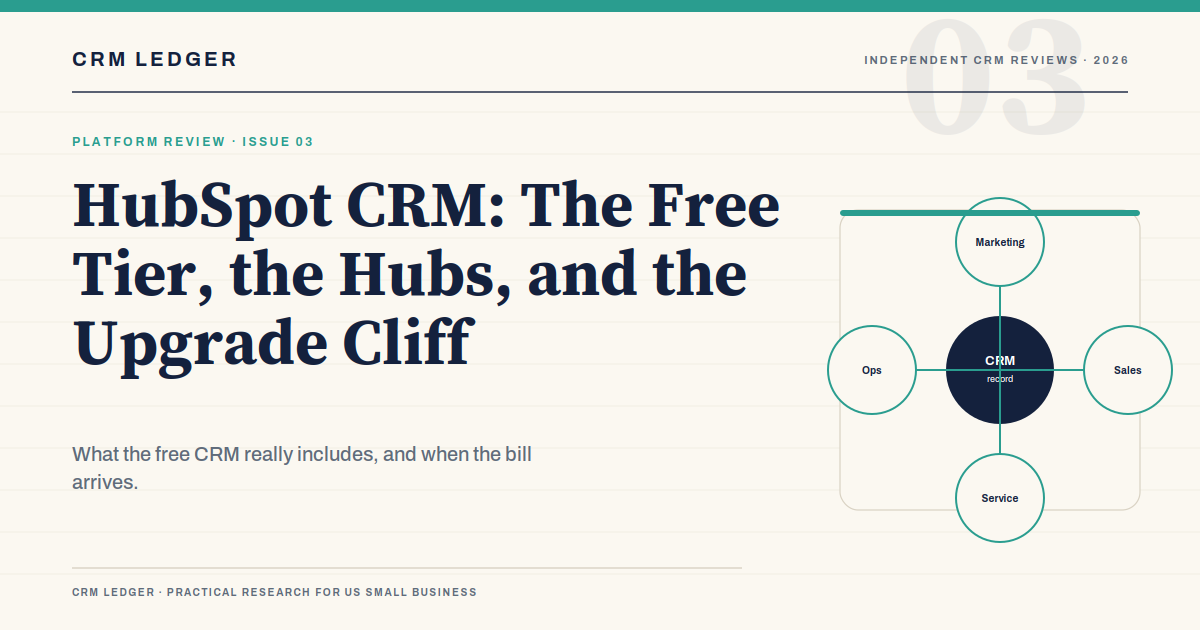
At its core, HubSpot is a contact-centric CRM. Companies, contacts, deals, tickets, and activities live in one database. Marketing emails, sales sequences, support conversations, and website forms can all write to the same record. That shared record is the product’s main idea, and it is a good one. Most CRM pain comes from teams keeping separate versions of the same customer.
Around that core, HubSpot sells hubs:
- Marketing Hub. Email, forms, landing pages, campaigns, lead scoring, and automation.
- Sales Hub. Deals, pipelines, sequences, forecasting, quotes, and sales analytics.
- Service Hub. Help desk, knowledge base, customer portals, and support automation.
- Content Hub. Website content, blogging, and content management.
- Operations Hub. Data sync, automation, and process management.
The CRM core is shared, but the useful features are gated by hub and tier. That is why two companies can both say they “use HubSpot” and pay wildly different amounts. One is using a free contact database. The other is running marketing, sales, and service on Professional or Enterprise plans.
The free CRM: what you actually get
HubSpot’s free CRM is not a trial that expires in 14 days. It is a real product with a permanent free tier. For a very small team, it can hold contacts, companies, deals, tasks, and basic activity history. It can connect forms, live chat, meeting links, and email tracking. That is enough to replace a shared inbox and a spreadsheet for a while.
The free tier is not a complete sales operation. The current free sales tools are aimed at a very small number of users, and the advanced features that make HubSpot valuable at scale sit in paid tiers. Automation, sequences, custom reporting, forecasting, teams, permissions, and sandbox access are gated. The exact limits change, so check the current plan details before you standardize a 15-person team on a free account.
There is also a data-model distinction that catches teams later. The CRM contact record and a marketing contact are not the same billing unit. You can have a large contact database and a smaller marketing-contact bill, or the reverse if your lists grow. Marketing Hub pricing is based on marketing contacts, not just seats. A sales team that starts sending newsletters through HubSpot can create a second cost center without realizing it.
The upgrade staircase
HubSpot’s paid tiers are not a smooth line. Each step adds a meaningful capability, and the price jump between steps is large enough that teams often buy a tier they do not need or stay on a tier that cannot do the job.
Starter is for a small team that needs a little more than the free tools: simple automation, more users, and the basic paid features. List pricing is roughly $7 to $20 per seat per month depending on billing and promotions, with the annual rate lower than the monthly rate. It is a reasonable starting point for a five-person sales team that mostly needs a shared pipeline.
Professional is where HubSpot becomes a serious sales product. Sequences, custom reporting, forecasting, teams, and more advanced automation appear. The list price is roughly $90 to $100 per seat per month on annual billing, and onboarding is typically required. For a 10-person team, that is a five-figure annual commitment before marketing contacts or extra hubs.
Enterprise adds permissions, sandbox, advanced reporting, and the governance a larger company needs. It is priced around $150 per seat per month, plus a larger onboarding fee. A 10-person team rarely needs Enterprise unless it is part of a larger organization with security and segmentation requirements.
Where HubSpot is strong
Adoption. HubSpot is easier to learn than most CRMs with comparable depth. The interface is consistent, the record layout is readable, and a rep can usually figure out the next step without a training manual. That matters because a CRM that reps avoid is worse than a spreadsheet.
Marketing and sales in one place. If your growth model depends on content, forms, email, and a sales team following up on inbound interest, HubSpot’s shared record is a genuine advantage. The handoff from marketing-qualified lead to sales-owned deal is easier when both teams work in the same database.
Ecosystem and education. HubSpot has a large app marketplace, a mature partner network, and a deep library of training material. A small team can self-implement more of HubSpot than it can self-implement Salesforce, especially at the Starter level.
Reporting at the professional tier. The custom report builder and dashboards are strong for a midmarket team. You can answer questions about source, stage, owner, and revenue without exporting to a spreadsheet every week.
Where it gets expensive
The per-seat math compounds. A $90 seat is not a $90 decision. Ten seats is $10,800 a year before onboarding, marketing contacts, or additional hubs. Twenty seats is $21,600. The same platform that felt cheap at five users becomes a serious budget line at twenty.
Marketing contacts are a separate meter. If you run email marketing, the bill depends on how many contacts you market to, not just how many people log in. A sales-led company that starts a newsletter can add a marketing cost center quickly.
Onboarding is often mandatory. Professional and Enterprise purchases usually include a required onboarding fee. That is not automatically bad; a structured onboarding can prevent a messy implementation. It does need to be in the first-year budget.
Customization has a ceiling. HubSpot is flexible for a SaaS CRM, but it is not Salesforce. Companies with unusual approval chains, complex product catalogs, or deep ERP integration may hit the ceiling at Professional and face a much larger Enterprise quote.
Downgrading is awkward. If you build workflows and reports on Professional, moving back to Starter means losing access to the tools that run your process. The upgrade is easier to make than to reverse.
What a 10-person team actually pays
| Scenario | Annual subscription | What is usually missing |
|---|---|---|
| Free CRM, 3 users | $0 | Automation, reporting, sequences, support, and user headroom |
| Starter, 10 users | Roughly $840 to $2,400 | Forecasting, custom reporting, and advanced automation |
| Professional, 10 users | Roughly $10,800 to $12,000, plus onboarding | Enterprise permissions, sandbox, and multi-team governance |
| Professional plus Marketing Hub | Five figures before marketing contacts | Nothing, if the contact volume is under control |
The range is wide because annual versus monthly billing, promotions, and negotiated pricing change the effective rate. The important number is not the seat price. It is the total cost of the hubs, contacts, onboarding, and add-ons that the workflow actually requires.
If you are comparing HubSpot to Salesforce, the honest question is not “which is better?” It is “which one fits the complexity we actually have?” HubSpot is usually faster to adopt and cheaper to start. Salesforce is usually more flexible and more expensive to operate. Our Salesforce review covers that trade-off in more detail.
Who should choose HubSpot
HubSpot is a strong fit for inbound-led B2B teams, professional services firms, and small companies that want marketing and sales in one system without an administrator. It is also a good choice for a team that values adoption over customization and can accept the pricing curve.
It is a weaker fit for outbound-heavy sales teams that need deep sequencing and dialer workflows, companies with complex CPQ or ERP requirements, and budget-sensitive teams that will grow past 15 seats. Those teams should look at a pipeline-first CRM or a platform with a lower per-seat trajectory.
Frequently asked questions
Is HubSpot CRM really free?
The core CRM has a permanent free tier, but it is not an unlimited version of the paid product. User allowances and advanced features are limited, and paid hubs are priced separately. For a very small team, the free tier can be useful for a long time. For a growing sales team, it is usually a trial by another name.
What is the difference between HubSpot CRM and Sales Hub?
The CRM is the shared database of contacts, companies, deals, and activities. Sales Hub is the paid toolkit that adds sequences, forecasting, reporting, and advanced automation on top of that database. You can use the CRM without Sales Hub, but you cannot run a mature sales operation on the free tools alone.
Is HubSpot good for small business?
Yes, especially for inbound-led teams that want one system for marketing and sales. The main risk is the upgrade path: the free tier is generous, but the jump to Professional is a significant annual commitment. Model the three-year cost before you build your process around it.
The bottom line
HubSpot is the easiest CRM to start and one of the easiest to outgrow on price. Use the free tier to test whether a shared customer record improves your follow-up. Before you move to Professional, price the seats, the onboarding, the marketing contacts, and the add-ons together. If the total still makes sense, HubSpot will reward the team with fast adoption and a clean view of the customer. If it does not, a simpler pipeline tool may be the better first purchase.