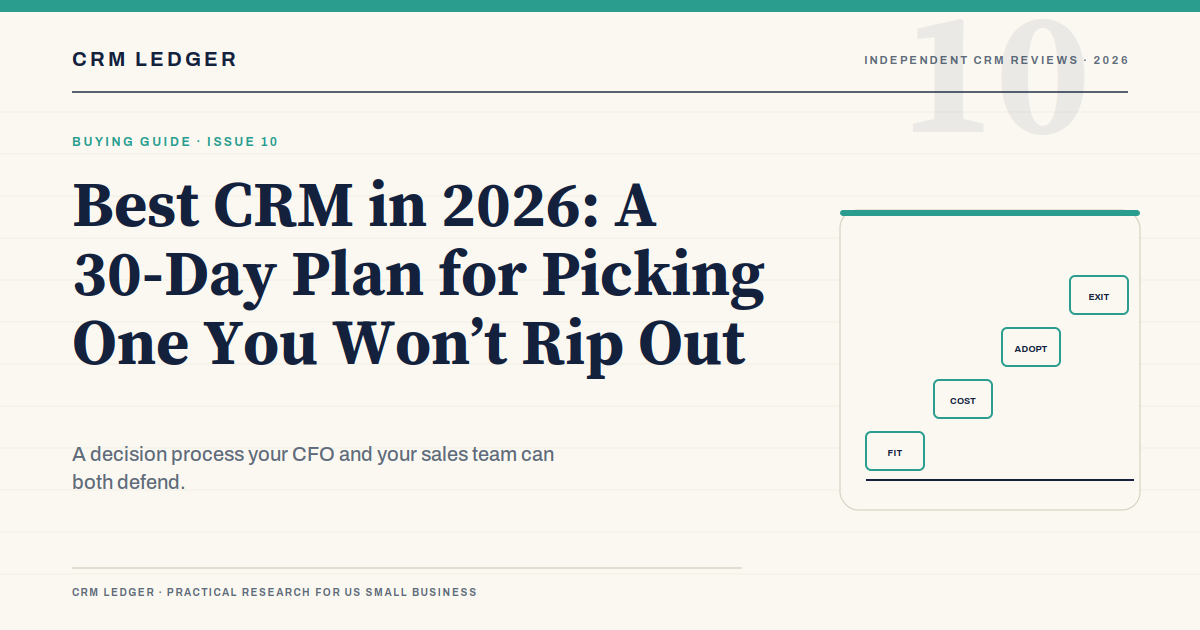
The best CRM is not the one with the longest feature list. It is the one your sales team will use, your operations person can maintain, and your CFO can justify at renewal. That is a lower bar than most software evaluations set, and a harder one to clear.
This guide is about the decision, not the logos. If you already know your sales process and want a product shortlist, our best CRM software comparison covers eight systems by fit and cost. This article is the 30-day process for choosing one without turning the evaluation into a second job.
Start with the deal, not the demo
Before you open a vendor website, draw the sales process on a whiteboard. Start with the lead sources: web forms, referrals, outbound, events, partners. Then list the stages a deal moves through, the exit criteria for each stage, the average deal size, the length of the cycle, and the people who have to approve something before the deal closes.
If the team cannot agree on those things, a CRM will not fix the disagreement. It will encode one person’s version of the process and force everyone else to work around it. The most useful work you can do in week one is a process map that a rep, a manager, and a finance person all recognize.
Write down the handoffs as well. Who owns a lead after the first call? Who updates the close date? Who tells service that a new customer is onboarding? Who owns the renewal? Most CRM failures are handoff failures, not feature failures.
The four questions that eliminate most options
Fit. Can the CRM model your deal motion without a workaround? If you sell projects with phases, can it handle phases? If you sell subscriptions with renewals, can it track the renewal? If you sell through partners, can it track the partner and the end customer? A product that requires a custom object for every standard step is not a fit, even if the demo made it look easy.
Total cost. The subscription is the visible number. The total cost includes implementation, data migration, admin time, integrations, add-ons, training, and the cost of the people who will run the system. A $15,000 subscription can become a $50,000 first year. Ask for the three-year total in writing.
Adoption. Will your reps use it after the novelty wears off? The best predictor is the amount of work the CRM adds to a rep’s day. If logging a call takes 30 seconds, reps will do it. If it takes five screens and a required field called “lead source detail,” they will not. Demo the rep workflow, not the manager dashboard.
Exit. What happens if you leave? Can you export the data in a usable format? Does the contract include termination assistance? Are the integrations portable? A CRM is a system of record. If you cannot get your records out, the vendor owns your customer history, not you.
The 30-day selection plan
Week one is internal. Do not talk to vendors yet. Map the process, audit the data, and write the requirements in plain language. “We need a shared pipeline” is a requirement. “We need AI” is a wish.
Week two is about narrowing. Pick three products that fit the process and the budget range. Do not shortlist a product you cannot afford in year two, even if the first-year discount is attractive. Do not shortlist a product that requires an admin you do not have.
Week three is the structured demo. Give every vendor the same scenario and the same data. Ask them to run a real deal from lead to close, including a lost deal and a deal that goes backward. Then ask two reps to use the trial for a week and report what slowed them down.
Week four is the decision. Call two references that are similar to your company, not the references the vendor selected for their logo wall. Review the contract with finance and legal. Confirm the implementation scope, the data export terms, and the renewal terms. Then decide.
What to ask in a demo
- Show me a real deal from lead to close. Not a sample deal; a deal with multiple contacts, a competitor, and a discount approval.
- Show me a deal that goes backward. Deals do not always move forward. How does the CRM handle a proposal that returns to discovery?
- How do permissions work? Can a rep see another rep’s pipeline? Can a manager see everything? Can a contractor see only assigned accounts?
- What happens when a rep leaves? How are their accounts and open deals reassigned? Is the history preserved?
- How do we export our data? Show the export, not a slide that says export is available.
- What are the API limits? If you plan to connect a website, ERP, or data warehouse, the API limits matter more than the feature list.
- What is included in implementation? List the objects, integrations, reports, and training. Anything not listed is a change order.
- What is the renewal uplift? Ask for the formula, not the range. Ask what happens if you reduce seats or contacts.
Total cost of ownership
Here is a simple example. A 10-person sales team buys a CRM at $125 per user per month. That is $15,000 a year in subscription. Implementation and data migration cost $10,000. The team needs a part-time admin, which is $20,000 of loaded time. Add-ons for e-signature, CPQ, and data enrichment cost $5,000. Training costs $2,000. The first-year total is $52,000, not $15,000.
| Cost line | Example | What to ask |
|---|---|---|
| Subscription | $15,000 | What is the renewal uplift and seat minimum? |
| Implementation | $10,000 | What is in scope, and what is a change order? |
| Admin time | $20,000 | Who owns the system after launch? |
| Add-ons | $5,000 | Which ones are required for the workflow? |
| Training | $2,000 | Who trains the reps, and on what data? |
| First-year total | $52,000 | What does year three look like? |
The subscription line is the one the vendor quotes. The other four lines determine whether the project is worth doing. A cheaper CRM with a heavier admin load can cost more than an expensive CRM that reps actually use. A more expensive CRM with a fast implementation can be cheaper in year one than a “free” CRM that requires a six-month configuration project.
Contract terms that matter
Ramp pricing. If you are hiring reps over the next year, ask for a phased seat commitment. Do not pay for seats you will not use in month one.
Seat flexibility. Ask whether you can reduce seats at renewal without losing the account history. Some contracts allow it; some do not.
Data export. Get the format, frequency, and any fees in writing. A CSV of contacts is not the same as a full export of deals, activities, and attachments.
Termination assistance. Ask what support the vendor provides if you leave. A defined transition window is worth more than a discount.
Price escalation. Cap the annual increase. “Standard uplift” is not a number you can budget.
Security and SLA. Ask about uptime, data residency, SSO, audit logs, and breach notification. If you sell to enterprise buyers, your customers will ask you these questions.
Adoption is the real ROI
A CRM produces a return only if the data is complete enough to make decisions. That requires adoption, and adoption requires three things: a workflow that saves the rep time, a manager who reviews the pipeline in the CRM instead of a spreadsheet, and a data hygiene ritual that everyone follows.
Train with real deals, not sample data. Keep required fields to the minimum. Make the weekly pipeline review happen inside the CRM, with the screen shared. Celebrate a rep who catches a stalled deal because the CRM surfaced it. The tool is only as good as the behavior around it.
Red flags in a CRM evaluation
- The vendor cannot show a deal that goes backward or a permission change.
- The implementation quote is a range with no scope attached.
- The export is described as “available” but not demonstrated.
- The contract auto-renews and the notice window is buried.
- The pricing depends on a contact metric nobody explained.
- The partner is selected before the requirements are written.
- The demo is flawless because it uses a sample company with perfect data.
Frequently asked questions
What is the best CRM for a small business?
There is no single answer. HubSpot is the best default for inbound-led teams, Pipedrive for pipeline-first teams, and Zoho for budget-conscious teams with an admin. Salesforce is the better choice when the process is complex enough to justify the implementation. The best CRM is the one that fits your process and your team will use.
How long should a CRM evaluation take?
Thirty days is enough for most small and midsize companies. Spend the first week on the process and the data, not on demos. A longer evaluation usually means the requirements are still unclear.
Should we buy the cheapest CRM?
Only if it fits the process and the team will use it. The cheapest subscription can be the most expensive project if it requires a long implementation, a full-time admin, or a replacement in eighteen months.
What is the biggest CRM implementation mistake?
Treating it as a software purchase instead of a process change. The second biggest is importing dirty data without deduplication. Both are avoidable with a week of preparation.
The bottom line
Choose the CRM that makes your sales process easier to run and easier to see. Start with the deal, not the demo. Price the three-year total, test the rep workflow with real data, and negotiate the exit before you sign. If the decision is defensible to the CFO and the sales team six months later, you picked the best CRM for your company.