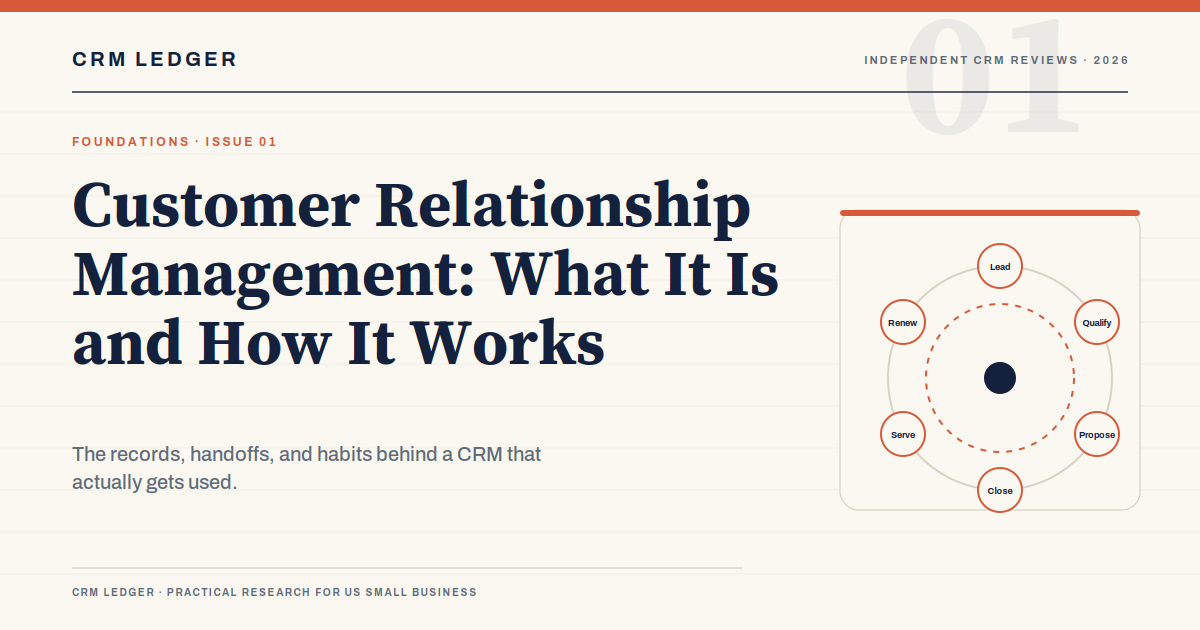
Customer relationship management gets easier to understand the moment you stop treating it as software. A CRM is a system of record for the people who might buy from you, the conversations you have with them, and the promises you make along the way. The software is the container. The management part is the work.
That distinction matters because most CRM disappointments are not software failures. They are process failures that show up as software problems: a pipeline with no clear stages, a database full of duplicates, a sales manager who still runs the forecast from a spreadsheet. Buying a better tool will not fix any of those things.
This guide covers what a CRM actually tracks, the three jobs it has to do, what it costs a small US business, and how to implement one without turning the next six months into a configuration project.
If you are already comparing vendors, our best CRM software comparison covers eight systems by fit and cost. If the budget is tight, the free CRM guide explains what the free tiers include and where they stop.
What a CRM actually tracks
Most CRM systems are built around a small set of records. The names differ by vendor, but the relationships are consistent:
- Lead. A person or company that has shown interest but has not been qualified. A lead may never become a customer.
- Account. The company, household, or organization you are selling to. In business-to-business sales, several contacts usually belong to one account.
- Contact. A person at the account. A contact has an email address, a phone number, a role, and a history of conversations.
- Opportunity or deal. A potential purchase with an amount, a stage, a close date, and an owner. This is the record your forecast is built from.
- Activity. A call, email, meeting, task, or note. Activities are the evidence that the deal is moving or stalled.
- Case or ticket. A post-sale issue. Support history belongs in the same customer record as sales history, even if a different team handles it.
The value comes from the links between those records, not from the records themselves. A contact should connect to an account. An opportunity should connect to the buying group, not just one person. A case should show up when the account manager opens the renewal. If your CRM makes you retype the same information in four places, it is not a system of record. It is a filing cabinet with a login screen.
The three jobs a CRM has to do
Every feature list eventually collapses into three jobs. If the system does these well, most of the rest is detail.
1. Make the pipeline visible. A sales manager should be able to see the deals in play, the stage each one is in, the amount, the next step, and how long it has been sitting still. Visibility is not a dashboard with 14 charts. It is a shared answer to “what is likely to close this quarter, and what is stuck?”
2. Make follow-through honest. The CRM should record the next action and the date it is due. That sounds trivial until a rep with 40 open deals goes two weeks without a follow-up. The system should make the gap obvious to the rep before it becomes obvious to the customer.
3. Keep the customer history usable. When a customer calls with a problem, the person answering should see the last conversation, the open deal, the support issue, and the account owner. When a renewal comes up, the account manager should see the entire relationship, not a fresh record that starts at the contract date.
Where CRM projects go wrong
They start with a vendor shortlist instead of a process map. If three people in the room describe the sales stages differently, no product will resolve the disagreement. Write the stages on a whiteboard first, including the exit criteria for each one.
They import everything. A small team does not need 12 years of dead leads in the new system. Import the accounts with an active relationship, the open deals, and the contacts the team actually emails. Archive the rest until someone asks for it.
They over-customize. Every custom field, picklist, and automation has a maintenance cost. A field that a manager checks once a quarter should not be required on every call log. Start with the fields the team will use weekly.
They treat it as an IT project. IT can own permissions, integrations, and security. Sales operations should own the pipeline stages, the reporting, and the adoption plan. If no one owns the day-to-day system, it slowly becomes a place where data goes to die.
They measure activity, not outcomes. “Number of calls logged” is easy to measure and easy to game. Stage aging, next-step compliance, forecast accuracy, and response time tell you more about whether the system is helping.
What a CRM costs a small business
The subscription is the headline. The first-year cost is the whole story. For a 10-person sales team, a realistic planning range looks like this:
| Cost line | Planning range | What drives it |
|---|---|---|
| Subscriptions | $1,800 to $18,000 per year | Edition, seat count, billing term, and add-ons |
| Implementation and migration | $0 to $15,000 | Data cleanup, custom fields, integrations, and whether a partner is involved |
| Admin time | 5 to 20 hours per month | Permissions, reporting, cleanup, and internal support |
| Training | $0 to $5,000 | Whether you use vendor resources, a consultant, or internal time |
| Add-ons | $0 to $10,000 per year | Email sequencing, e-signature, CPQ, enrichment, or support tools |
A $15-per-user-per-month CRM can cost less in year one than a “free” CRM that consumes 15 hours a month of an operations manager’s time. A $100-per-user platform can be cheaper than a $25 platform that needs a consultant to make every report. Compare the three-year total, not the first invoice.
Ask for the renewal terms before you sign. Seat minimums, annual uplifts, contact-based pricing, and add-on bundles can change the math in year two. The contract terms matter more than the demo.
A four-week implementation that does not take over your quarter
Week one: define the system. Map the stages, the exit criteria, the required fields, and the reports the team will actually use. Pick one owner. Audit the existing data and decide what not to import.
Week two: configure the basics. Set up users, permissions, pipeline stages, and the minimum fields. Import a small, clean sample. Do not build every integration in the first month.
Week three: pilot with real deals. Ask two reps to run live deals in the system. Watch where they hesitate. Fix the workflow before the full rollout. A pilot with sample data teaches you very little.
Week four: train and launch. Train with the team’s actual accounts, not a fictional company. Show the weekly pipeline review inside the CRM. Set the first 30-day review date before anyone gets busy.
The first month is about credibility. If reps see the CRM create extra work with no benefit, they will route around it. If they see their manager use it to remove friction, they will use it too.
Metrics that tell you whether it is working
- Stage aging. How long deals sit in each stage before moving. A rising average is an early warning.
- Next-step compliance. The share of open deals with a dated next action. Aim for most, not all; some deals genuinely go quiet.
- Forecast accuracy. Compare the committed pipeline with what actually closed. Track the gap by rep and by stage.
- First-response time. Especially for inbound leads. The CRM should timestamp the lead and the first human touch.
- Weekly active use. The percentage of reps who logged in and updated a record during the week. A dashboard nobody opens is not adoption.
Avoid turning these into a scoreboard that punishes honest data. If a rep knows that a stalled deal will hurt their ranking, they will move the close date instead of asking for help. The metrics should start conversations, not end them.
When a spreadsheet is still enough
A two-person consultancy with 30 active relationships and no handoffs does not need a CRM. A well-structured spreadsheet and a shared calendar may be cheaper and faster. The case for a CRM gets stronger when you need shared visibility, more than one person touching an account, a repeatable follow-up process, or a forecast that finance will believe.
Move when the cost of missed follow-ups and scattered history is higher than the cost of the system. That is a business decision, not a software decision.
Frequently asked questions
Is CRM just another name for a contact database?
No. A contact database stores names and details. A CRM connects contacts to accounts, deals, activities, and support history so the team can manage a relationship over time. The connections are the point.
How long does it take to implement a CRM?
A small team can launch a basic system in two to four weeks. A larger team with integrations, custom objects, and migration work should plan on two to four months. The timeline usually depends more on internal decisions than on the software.
Do small businesses really need a CRM?
If the business has repeat customers, a sales team, or a pipeline that finance relies on, yes. If the founder personally knows every customer and there are no handoffs, a simple shared system may be enough for now.
The bottom line
Customer relationship management is an operating habit before it is a product. Define the stages, keep the data clean, and make the next step visible. Then buy the simplest system that supports that system and can export your data when you leave. The software should make the work easier to see, not add another place to hide it.