SFDC is shorthand for Salesforce.com. The letters show up in job listings, administrator forums, partner decks, and internal Slack channels. They are not an official product name, and “SFDC CRM” is technically redundant: SFDC already refers to Salesforce, and Salesforce is a CRM platform.
The redundancy is harmless, but the confusion around it is not. Recruiters use SFDC to mean a skill set. Salespeople use it to mean the system they have to update. IT uses it to mean a platform with users, permissions, and integrations. A buyer needs to know which one is being discussed before comparing products or writing a job description.
Where the acronym comes from
Salesforce was founded as Salesforce.com, and the company still uses that legal and brand history. SFDC is a compressed form of “Salesforce.com” that became common in technical communities. It is not the NYSE ticker; the ticker is CRM. It is not an edition name, a cloud name, or a certification code. It is a nickname with a long life.
You will see it in phrases like “SFDC admin,” “SFDC developer,” “SFDC integration,” and “SFDC data model.” In each case, the acronym stands in for the platform, not a specific product. If someone asks whether you know SFDC, they usually mean the Salesforce platform and its object model, not a particular Sales Cloud license.
What Salesforce actually sells
Salesforce’s product catalog is broad, and the names change more often than the underlying ideas. The core products a sales organization encounters are:
- Sales Cloud. Leads, accounts, contacts, opportunities, forecasting, and sales automation.
- Service Cloud. Cases, knowledge, entitlements, and customer support workflows.
- Marketing Cloud. Email, journeys, segmentation, and marketing automation.
- Commerce Cloud. Ecommerce and order management.
- Experience Cloud. Customer portals, partner portals, and community sites.
- Data Cloud. A customer data platform for unifying records across systems.
- Platform and AppExchange. Custom apps, integrations, and third-party products.
- Agentforce. Salesforce’s AI agent layer, sold separately from the core seats.
Most small and midsize companies do not need all of that. They need Sales Cloud, maybe Service Cloud, and one or two integrations. The broader catalog matters because Salesforce is designed to expand, and the expansion is where budgets and implementation scope grow.
The object model is the real product
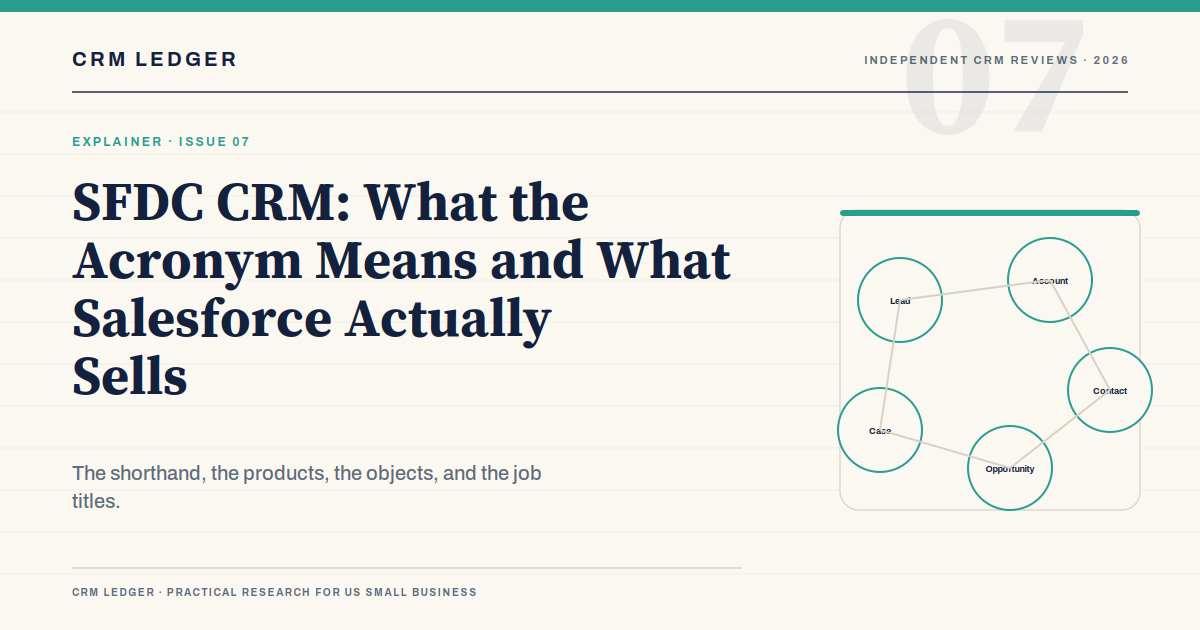
If you understand Salesforce’s core objects, you understand most of what an administrator does. The names are standard, and the relationships are what make the platform useful:
- Lead. A potential customer who has not been qualified. A lead can be converted into an account, contact, and opportunity.
- Account. The company or organization. Accounts are the anchor for deals, contacts, cases, and activity history.
- Contact. A person at an account. One account can have many contacts.
- Opportunity. A potential deal with an amount, stage, close date, and owner. This is the record that drives the forecast.
- Case. A support issue or request. Cases connect service history to the account.
- Campaign. A marketing initiative that can be linked to leads, contacts, and opportunities.
- Activity. Tasks, events, calls, and emails that show what actually happened.
Salesforce also has users, profiles, permission sets, roles, record types, and sharing rules. Those are not customer records; they control who can see and do what. A common implementation mistake is to spend weeks on the sales process and five minutes on permissions, then discover that the field team cannot see the accounts it needs.
Editions, licenses, and the parts people forget
Salesforce’s core sales editions are Starter Suite, Pro Suite, Enterprise, and Unlimited. The list prices are roughly $25, $100, $175, and $350 per user per month on annual billing, with Starter Suite capped at 10 users. The exact quote depends on volume, term, and bundling. Our Salesforce CRM review covers the edition ladder and the real first-year cost in more detail.
What buyers forget is that Salesforce licenses are not all the same. A sales user needs a Sales Cloud seat. A support agent may need Service Cloud. A developer may need a platform license. An integration user may need its own license and API allocation. Add sandboxes, storage, data services, and AI products, and the license map becomes its own project. Ask for a user-by-user license plan before you sign.
What “SFDC skills” actually means
When a job post says “SFDC experience,” it can mean very different things. A sales operations manager may need to build reports and dashboards. An administrator needs to manage users, permissions, objects, and automation. A developer needs Apex, Lightning Web Components, and API integration. An architect needs to design the data model and the integration map.
| Role | What they actually do | What to test in an interview |
|---|---|---|
| Salesforce Administrator | Users, profiles, permission sets, fields, page layouts, flows, reports, and release management | Ask them to explain a sharing model and a rollback plan for a bad deployment |
| Sales Operations Analyst | Pipeline reporting, forecasting, territory support, and process documentation | Give them a messy pipeline and ask what they would fix first |
| Salesforce Developer | Apex, Lightning components, integrations, and custom automation | Ask about governor limits and when to use declarative tools instead of code |
| Salesforce Architect | Data model, integration strategy, security, and multi-cloud design | Ask them to design a simple lead-to-cash flow with exceptions |
A certification is a useful signal, but it is not proof of implementation judgment. The best administrator is often the person who can explain why a simple flow is better than a custom object, and who knows when to stop configuring.
Common mistakes in an SFDC implementation
Using opportunities as projects. An opportunity is a potential sale, not a delivery project. If you need to track implementation phases after the sale, use a custom object or a project tool, not a pipeline stage called “onboarding.”
Creating a field for every question. Salesforce makes it easy to add fields, which makes it easy to create a maintenance problem. Every field needs an owner, a definition, and a reason. If no report or workflow uses it, question it.
Skipping the sandbox. Changes tested in production eventually break production. A sandbox, a deployment process, and a rollback plan are not enterprise luxuries; they are basic hygiene once the CRM runs the business.
Ignoring data quality. Duplicate accounts, incomplete contacts, and inconsistent picklist values undermine every report. Clean the data before migration, and assign someone to keep it clean afterward.
Treating permissions as an afterthought. A sales rep who cannot see the right accounts will stop using the system. A contractor who can see every account is a security problem. Model the sharing rules before the pilot, not after.
How to evaluate Salesforce without the acronym fog
Ignore the label “SFDC CRM” and evaluate the actual requirements. Ask the vendor or partner to show:
- The object model for your sales process, including custom objects and their relationships.
- A lead conversion with duplicate handling and assignment rules.
- A deal that moves backward, changes amount, and requires approval.
- A permission change for a contractor or a new region.
- A forecast built from your stages, not a generic demo pipeline.
- An export of accounts, contacts, opportunities, activities, and attachments.
- The integration path for your ERP, billing system, or support desk, including API limits.
- The release and sandbox plan for the next twelve months.
The answers will tell you more about fit than a feature comparison. Salesforce can do almost anything; the question is whether your team can operate what it builds.
Frequently asked questions
What does SFDC stand for?
SFDC is an informal abbreviation for Salesforce.com. It is not the company’s NYSE ticker, which is CRM, and it is not an official product name. In practice, it refers to the Salesforce platform and the skills associated with administering it.
Is SFDC the same as Salesforce CRM?
Yes, in everyday usage. SFDC refers to Salesforce, and Salesforce is a CRM platform. “SFDC CRM” is redundant, but people use it to distinguish the platform from other CRM products.
Do I need a Salesforce administrator?
If you use more than a basic Starter Suite setup, yes. Someone has to own users, permissions, automation, reporting, data quality, and releases. That person can be full-time, part-time, or a partner, but the responsibility cannot be nobody’s job.
The bottom line
SFDC is shorthand, not a product line. The real decision is whether Salesforce’s object model, editions, and operating requirements fit your sales process. Learn the core objects, price the licenses by role, and decide who will administer the platform before you sign. The acronym is the least important part of the evaluation.